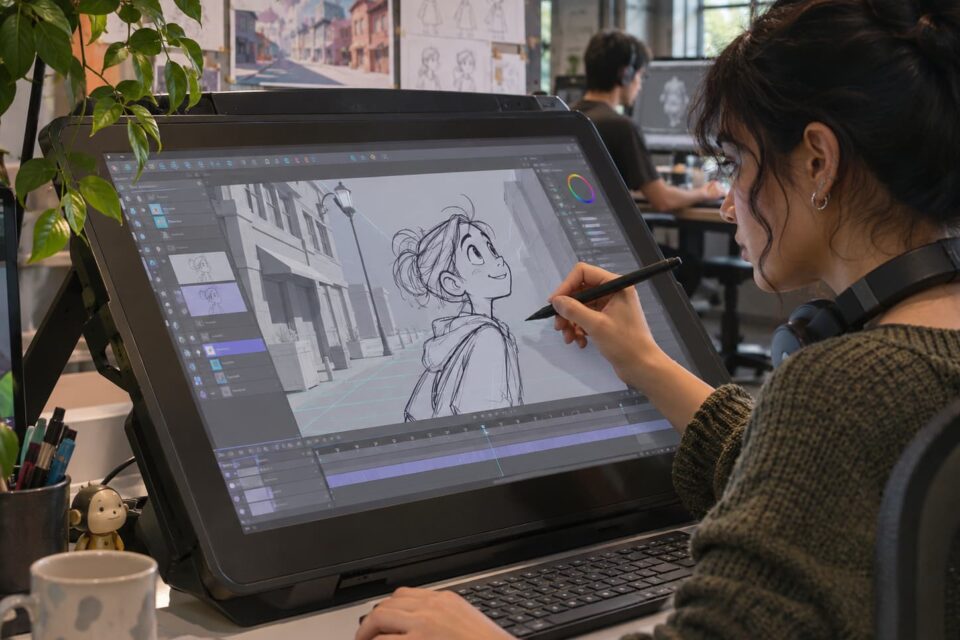
A cartoon character walks through a three-dimensional city, turns a corner, and disappears behind a building. The character looks hand-drawn, but the camera moves through a fully modeled environment. Creating this combination traditionally involves careful coordination between illustration, animation, and 3D scene construction. Blender’s Grease Pencil system brings these processes into one workspace, allowing artists to draw directly inside three-dimensional scenes.
Released in November 2026, Blender 5.3 introduces several improvements aimed at making this workflow faster. New selection tools in Draw Mode, the Carver tool, expanded fill operations, and more flexible gradients give artists greater control over illustrations without constantly switching editing modes.
Why Drawing in Three Dimensions Matters
Traditional 2D animation places drawings on flat surfaces, with depth created through perspective, overlapping layers, and camera techniques. Grease Pencil works differently. It stores drawings as strokes positioned in three-dimensional space, allowing them to interact with cameras, objects, and environmental geometry.
An animator can sketch a character in front of a modeled street, place illustrated signs on buildings, or create hand-drawn effects that follow moving objects. The camera can move through the environment while maintaining the visual character of the drawings. This makes Grease Pencil particularly useful for hybrid animation, stylized video games, animated advertisements, and experimental short films.
However, working in 3D does not eliminate traditional animation principles. Artists still need to manage perspective, timing, silhouettes, and character consistency. Blender 5.3 focuses on reducing the technical interruptions that occur while creating and editing these elements.
Editing Strokes Without Leaving Draw Mode
One of the most practical changes is the introduction of selection tools directly inside Grease Pencil’s Draw Mode. Previously, artists commonly switched to Edit Mode to manipulate existing strokes. The updated workflow allows them to select and transform drawings while remaining in the environment used to create them.
The new selection options include Tweak, Lasso, Box, and Circle. Artists can move, rotate, scale, duplicate, copy, paste, or delete selected strokes using familiar shortcuts. These operations are also accessible through the Stroke menu.
Consider an animator drawing facial expressions across several frames. If an eyebrow sits too high or a mouth needs repositioning, the artist can select the relevant strokes and adjust them immediately. This reduces interruptions when making small corrections to character poses.
The improvement is especially valuable during rough animation and cleanup. Instead of repeatedly changing modes, artists can work more continuously between drawing and adjustment. The underlying process of creating keyframes remains necessary, but individual edits become more convenient.
Carver Makes Cutting Illustrated Shapes Easier
The new Carver tool is among the most distinctive additions to Blender 5.3. Available in Draw Mode, it uses Boolean subtraction to cut existing strokes and filled shapes along a freehand lasso.
Suppose an artist has drawn a solid silhouette of a cartoon character. Creating an opening between the character’s arm and body traditionally requires adjusting or deleting portions of the drawing. With Carver, the artist can trace the unwanted area and remove it while preserving the surrounding shape.
The tool can also create holes inside filled regions and separate connected fills into independent pieces. When a shape contains both an outline and a fill, Carver generates the appropriate boundary around a newly created hole.
This is useful for refining silhouettes, cutting openings into illustrated objects, and adjusting complicated shapes without reconstructing them from scratch.
Coloring Several Areas With One Movement
Coloring drawings is another area where Blender 5.3 improves efficiency. The updated Fill tool supports filling multiple regions during a single drag operation. Instead of clicking individual enclosed areas, artists can draw a path across them and apply the selected material simultaneously.
The resulting regions become part of one fill shape without internal borders between the filled areas. This can be particularly convenient when coloring neighboring sections of a character, large costume elements, or repeated decorative shapes.
Imagine an animated jacket divided by several construction lines. The artist can apply one color across multiple sections without creating a separate fill for every region. This reduces repetitive work and helps maintain a consistent appearance.
As in earlier versions, the Fill tool also offers different methods for detecting boundaries. The Delaunay solver calculates regions from stroke geometry, while the Pixel solver uses a rasterized representation. Depending on the complexity of the drawing, selecting the appropriate method can improve results.
Blender 5.3 also expands gradient control. Instead of being limited to two colors, gradient fills now use a ColorRamp input, allowing artists to arrange multiple colors and control their transitions. This is useful for atmospheric backgrounds, stylized lighting, and illustrations requiring more complex color relationships.
Checking Composition Without Changing the Camera
Another small but useful addition is Flip View. The operator mirrors the camera view horizontally, allowing artists to inspect a composition from the opposite direction.
Traditional illustrators often flip their canvas to identify uneven proportions, awkward poses, and visual imbalances. Blender now makes this familiar technique available within the Grease Pencil camera workflow.
Importantly, Flip View affects only the viewport display. It does not alter the camera’s actual transformation or change the final render. Artists can inspect their composition, identify problems, and return to the original orientation without modifying the scene.
For character animation, this provides a convenient way to detect asymmetrical facial features, inconsistent spacing, and poorly balanced silhouettes. The operator does not have a default shortcut, but users can assign one or add it to Quick Favorites.
Blender 5.3 also lets artists roll the view while looking through the camera, rotating the canvas much as they would turn a sheet of paper, and a new Reset Roll operator returns it to its original angle. Flip View, Roll, and Reset Roll are all located under View > Navigation.
Stylized Shading in Eevee
Blender 5.3 also brings changes outside Grease Pencil that matter for cartoon-style work. Eevee, Blender’s real-time renderer, gains six new Material Lighting nodes that change how materials respond to light. Their clearest use is stylized, non-photorealistic rendering, such as cel-shaded characters and environments that sit comfortably next to hand-drawn strokes. Blender Studio is already using them on Cowboi, its upcoming anime-inspired open film.
Building a Hybrid Animation Scene in Blender 5.3
A practical workflow might begin with a simple 3D environment containing buildings, furniture, and basic lighting. The animator then creates a Grease Pencil object for a hand-drawn character, positioning the strokes within the scene rather than treating them as a separate flat image.
After establishing the camera angle, the artist sketches key poses and develops the animation using Grease Pencil frames. Selection tools help reposition individual elements, Carver refines silhouettes, and multi-region filling speeds up coloring. Gradients can add stylized shading, while Flip View provides a quick composition check.
The combination offers considerable flexibility, but successful results still require attention to spatial relationships. A character must remain correctly positioned relative to the environment, and camera movement can reveal perspective problems that would remain hidden in a static illustration.
Blender 5.3 does not automatically convert flat drawings into convincing three-dimensional animation. Its improvements make existing hybrid techniques easier to control, leaving creative decisions in the artist’s hands.
For independent animators and small studios, that distinction matters. Faster editing and more flexible drawing tools reduce time spent on repetitive operations without replacing the traditional skills behind expressive movement. Blender’s latest Grease Pencil updates make drawing inside 3D feel less like managing two separate production systems and more like working within a single animation workspace.